How to Add & Remove Liquidity on Solana Pools
Product
2025-07-07
We’ve launched PancakeSwap v3’s liquidity pool on Solana, bringing capital-efficient liquidity provision and low-fee swaps to Solana users. This new integration allows liquidity providers and traders to benefit from faster transactions and reduced fees, all while enhancing PancakeSwap’s multi-chain ecosystem, which already includes BNB Chain, Ethereum, and other leading networks.
Read our full announcement here.
In this guide, we’ll walk you through the process of adding and removing liquidity on Solana pools using PancakeSwap v3.
How to add liquidity on Solana Pools
Here’s how you can provide liquidity to Solana pools on PancakeSwap.
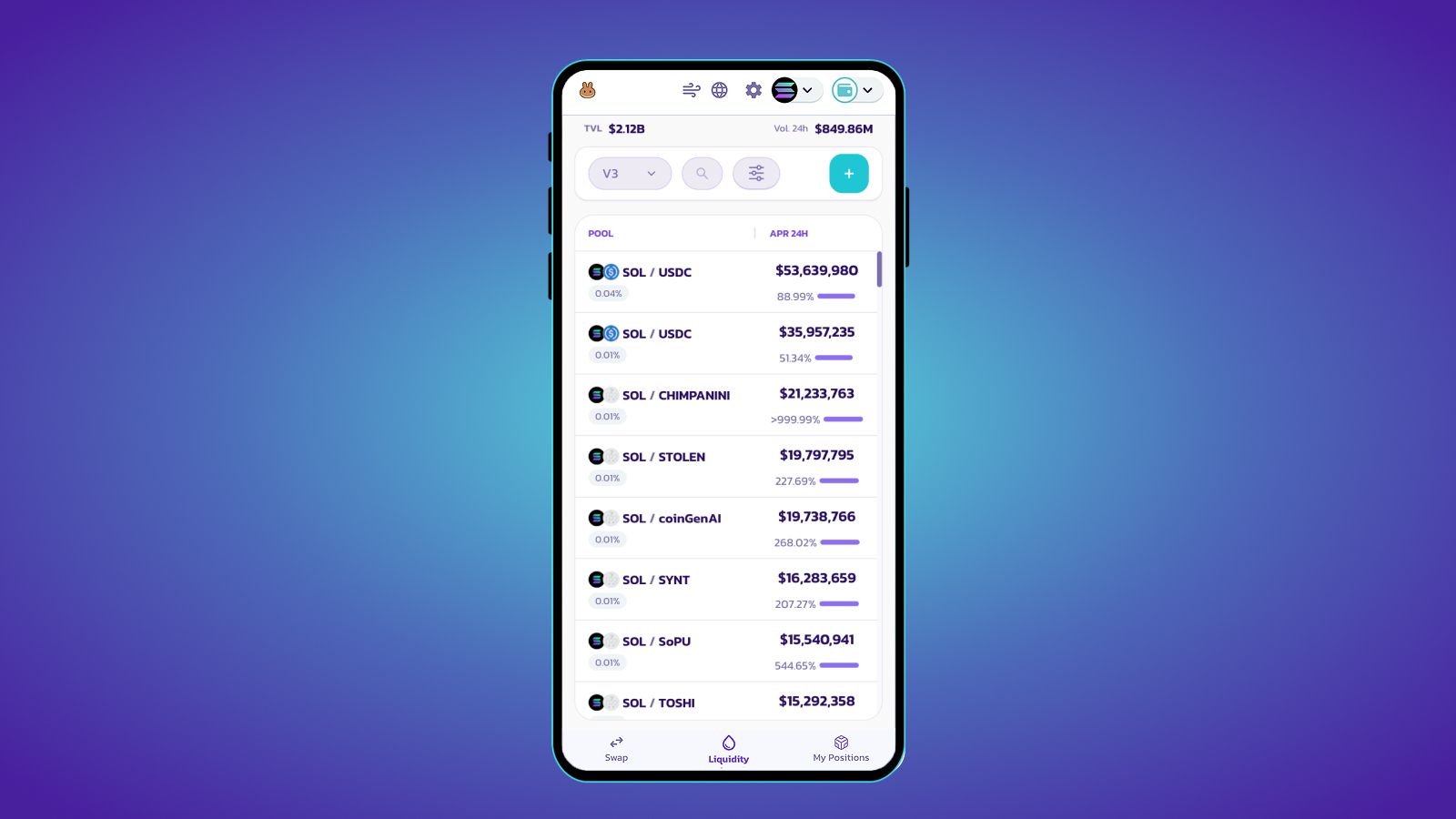
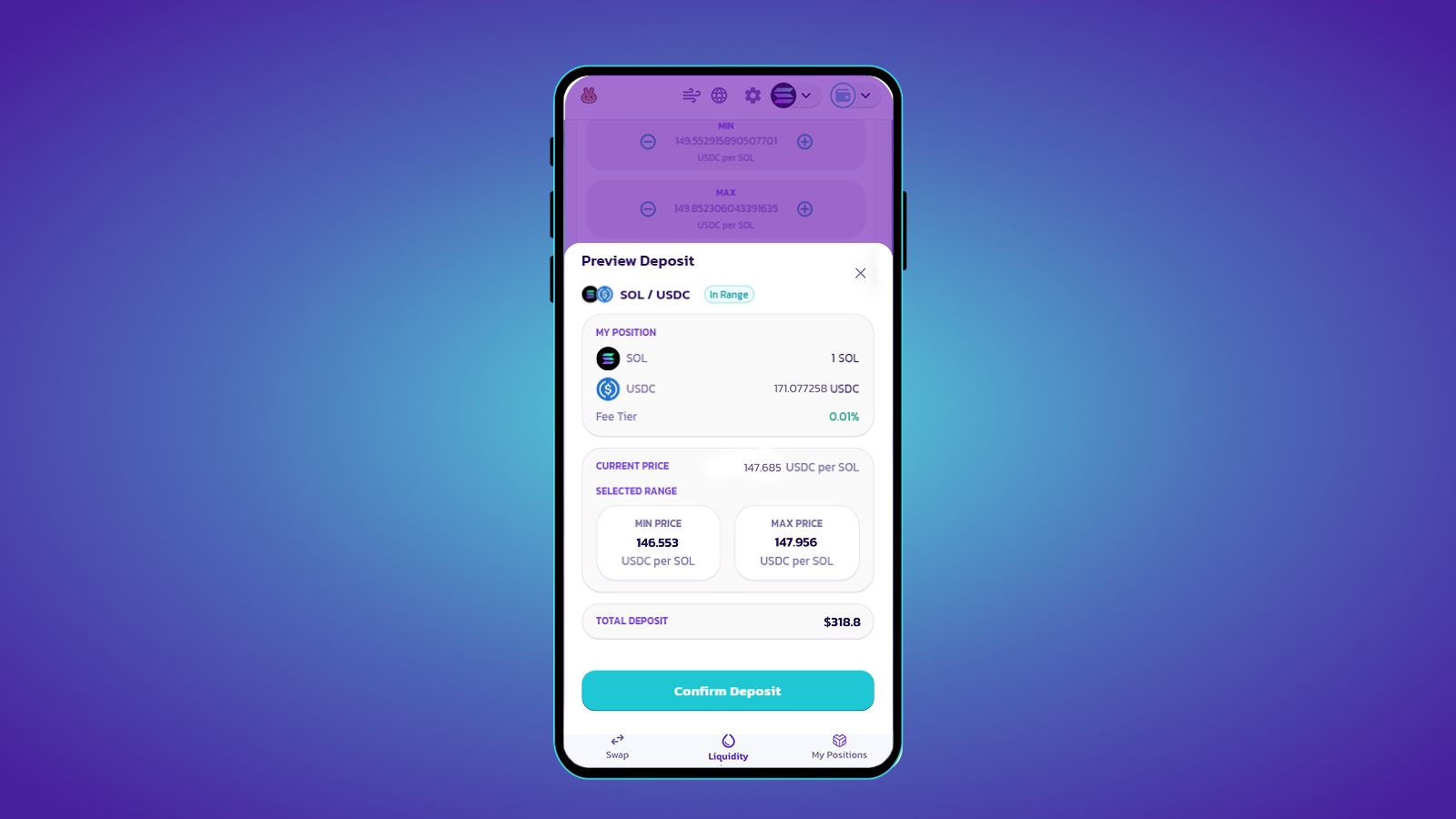
- Go to the Liquidity tab on PancakeSwap and select a pool.
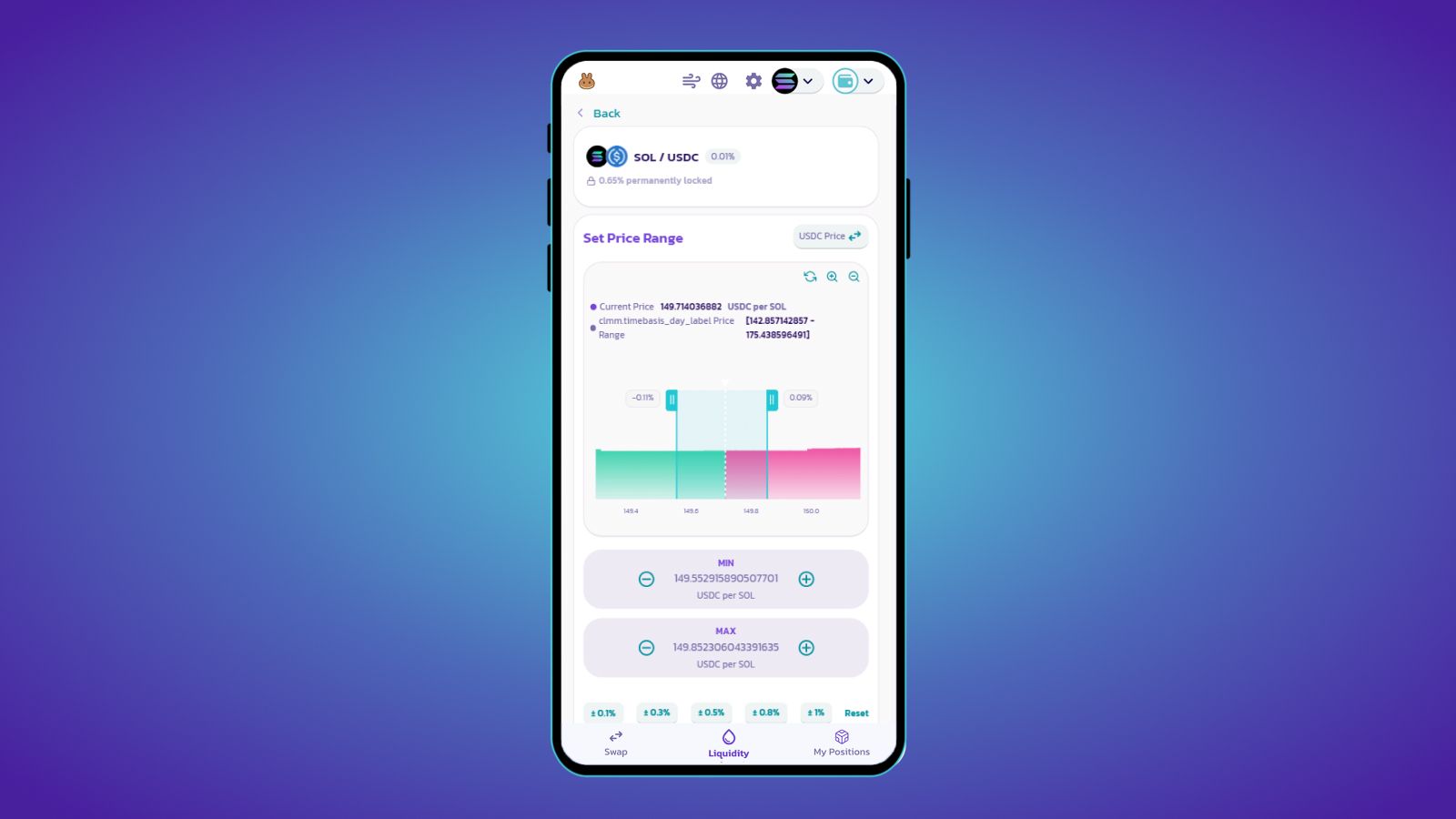
- Set your desired price range.
- Enter the amount you want to deposit.
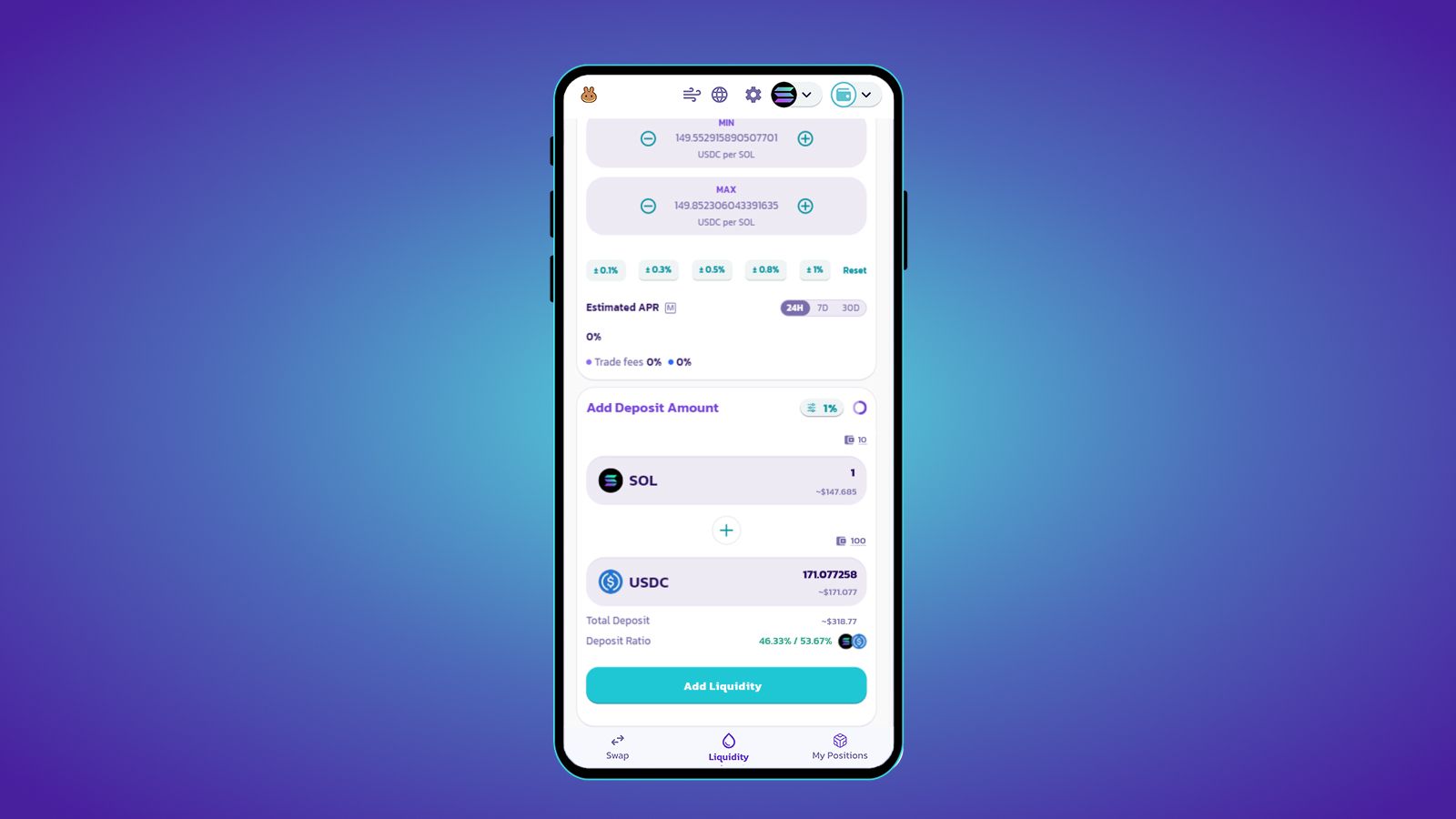
- Check your details and click ‘Confirm Deposit’ to proceed.
How to Remove Liquidity on Solana Pools
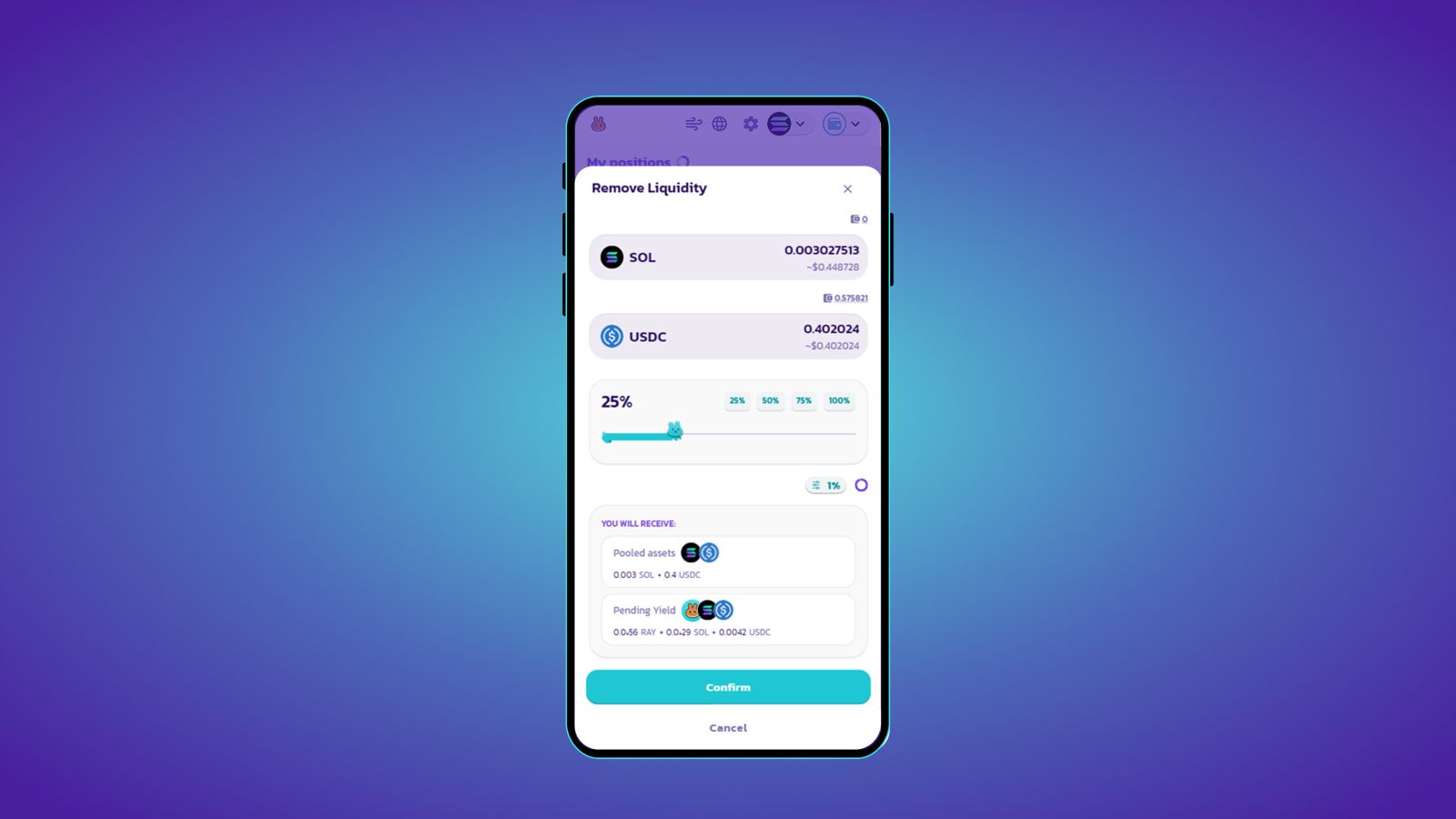
Use this step-by-step to withdraw your tokens from a Solana pool.
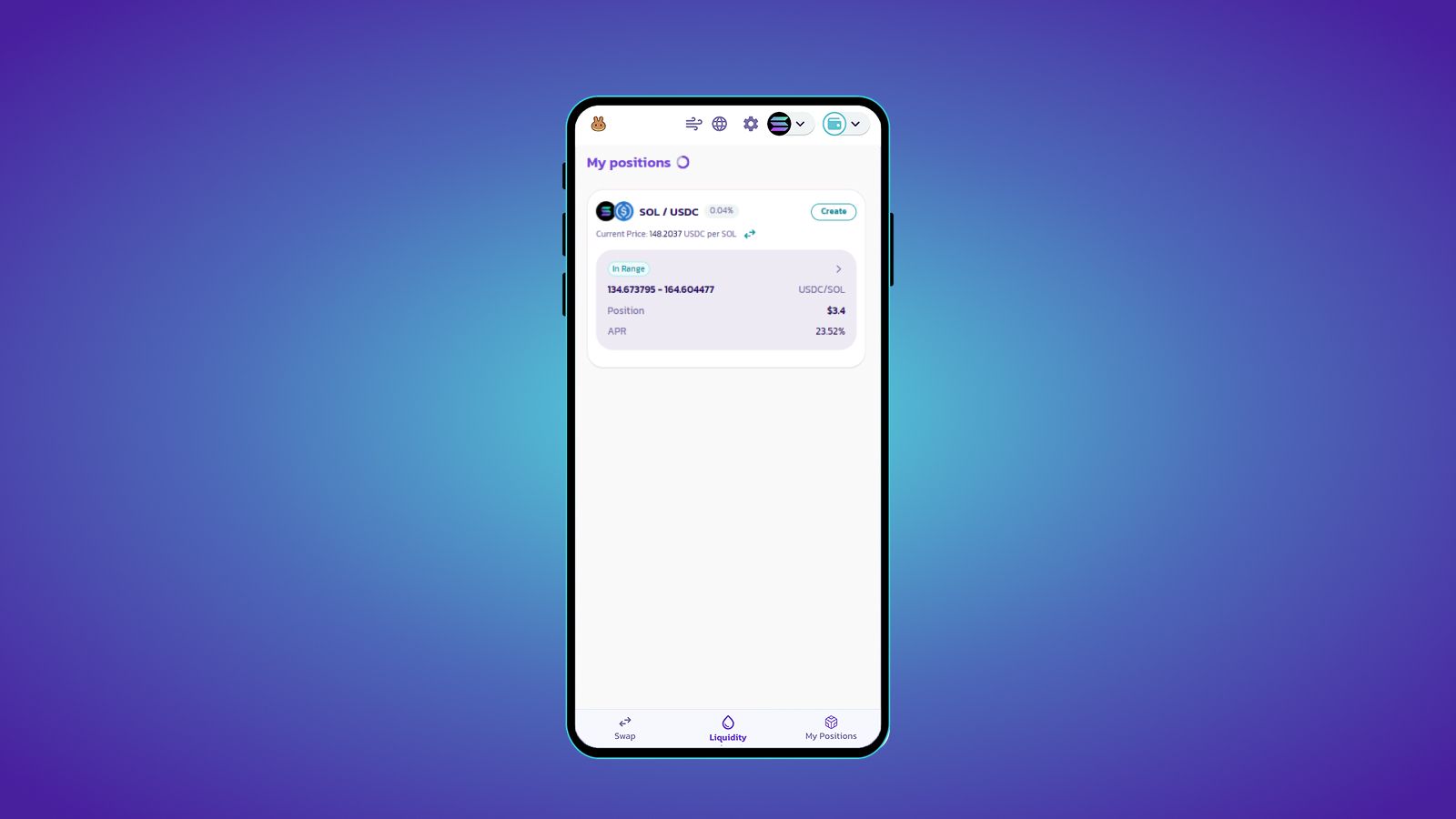
- Go to the ‘My Positions’ tab.
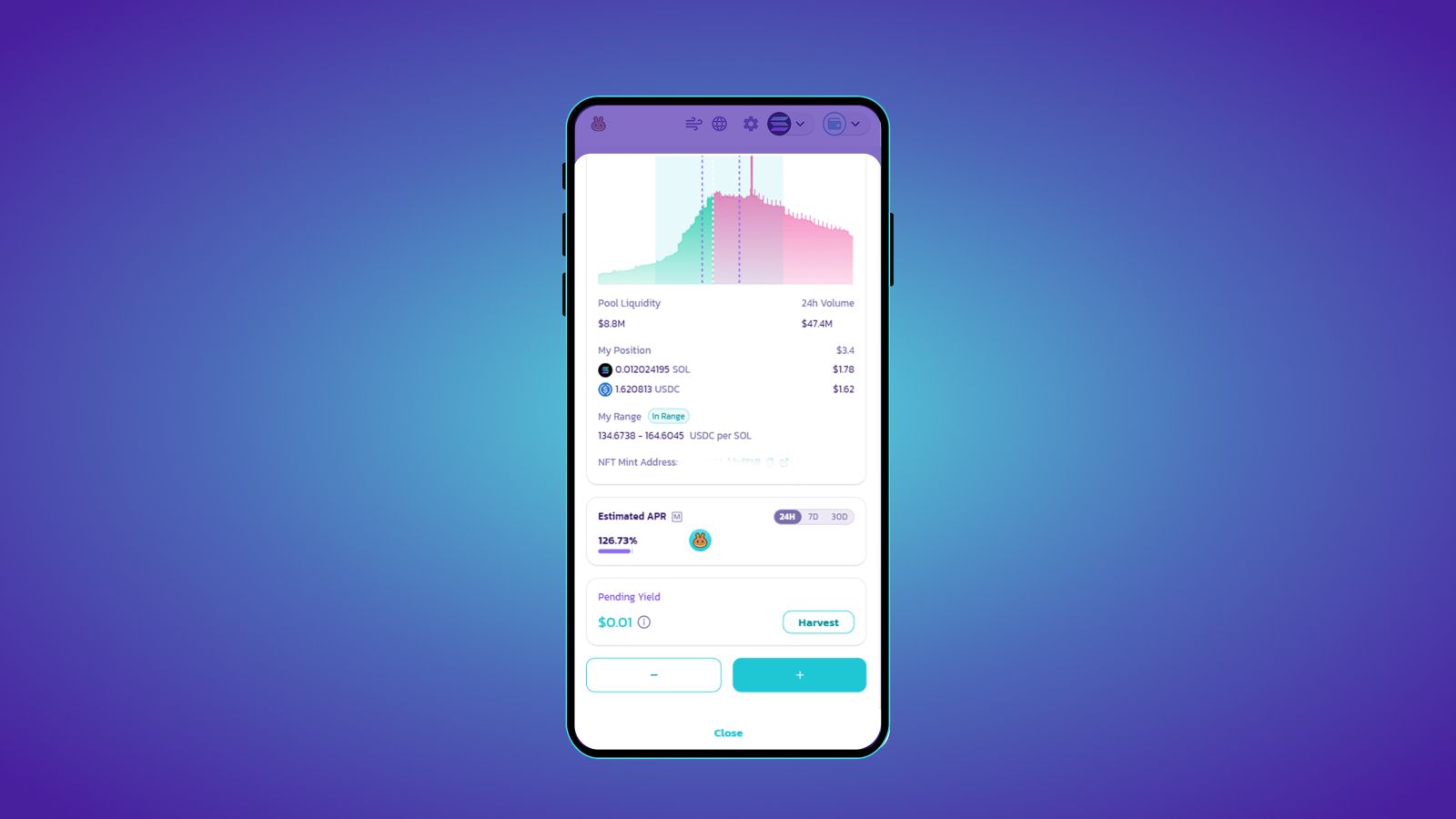
- Click the ‘–’ button to start removing liquidity.
- Select the amount you want to remove.
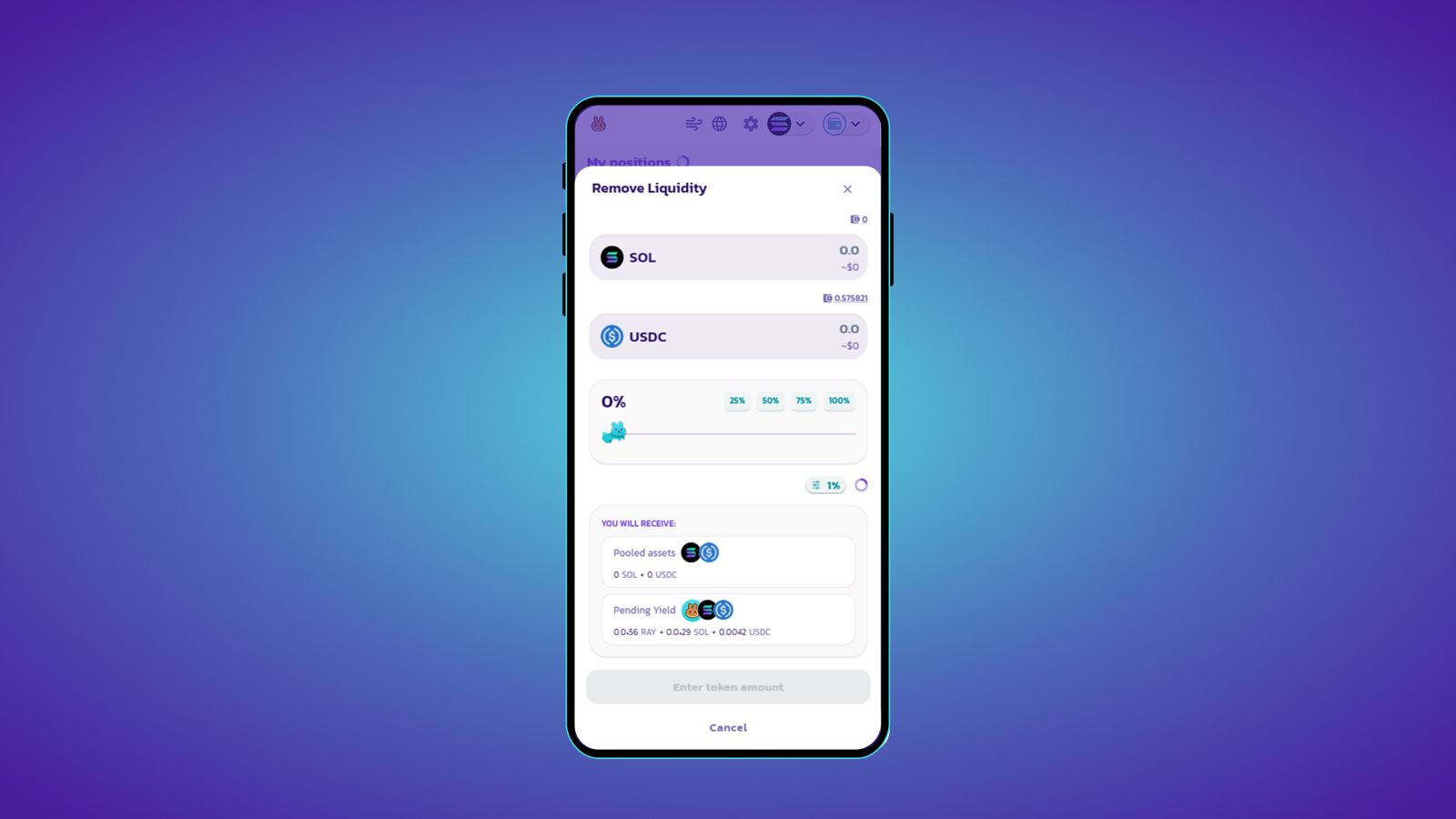
- Review the details and click ‘Confirm’.